Setup Assessment Projects
We have created GitHub repositories which contain RStudio projects with all the essentials you need to start working on the formative and summative assessments.
Within the project templates, the nilt dataset has already been loaded, variables coerced, and an nilt_subset dataframe created for you. The nilt_subset dataframe has the same variables that are used in the regression model in the Summative Assessment.
There are separate templates for the formative and summative assessments. The general steps to follow to set them up are the same, just ensure to use the correct link for each. (Provided in blue callout boxes below.)
Steps to Follow
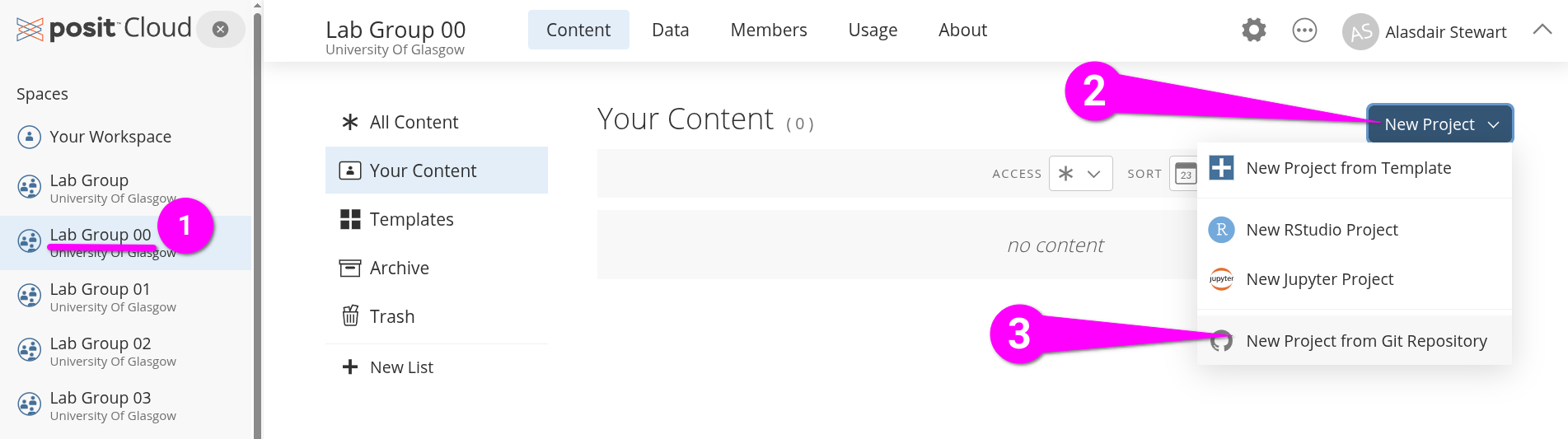
- From the left-hand side pane, make sure you are in your ‘Lab Group …’ workspace. (Where ‘…’ is your Lab Group number).
- Click the blue ‘New Project’ button on the right of the screen.
- From the menu list that opens select ‘New Project from Git Repository’
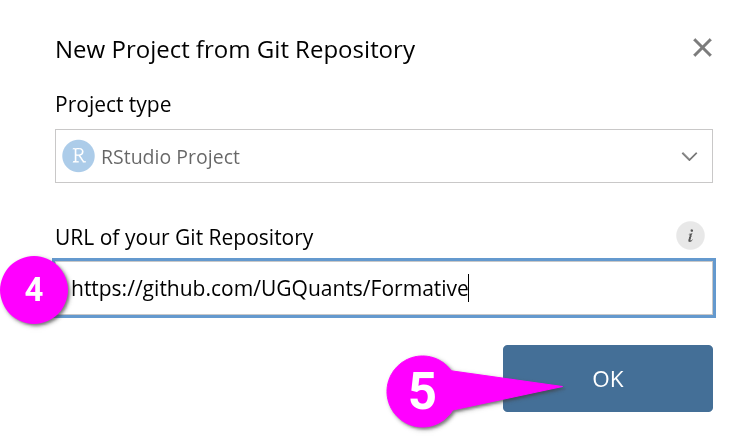
- Within the dialogue box that opens, copy and paste the relevant link below into the ‘URL of your Git Repository’ field.
- Click ‘OK’ to create the new project.
After your poject loads -
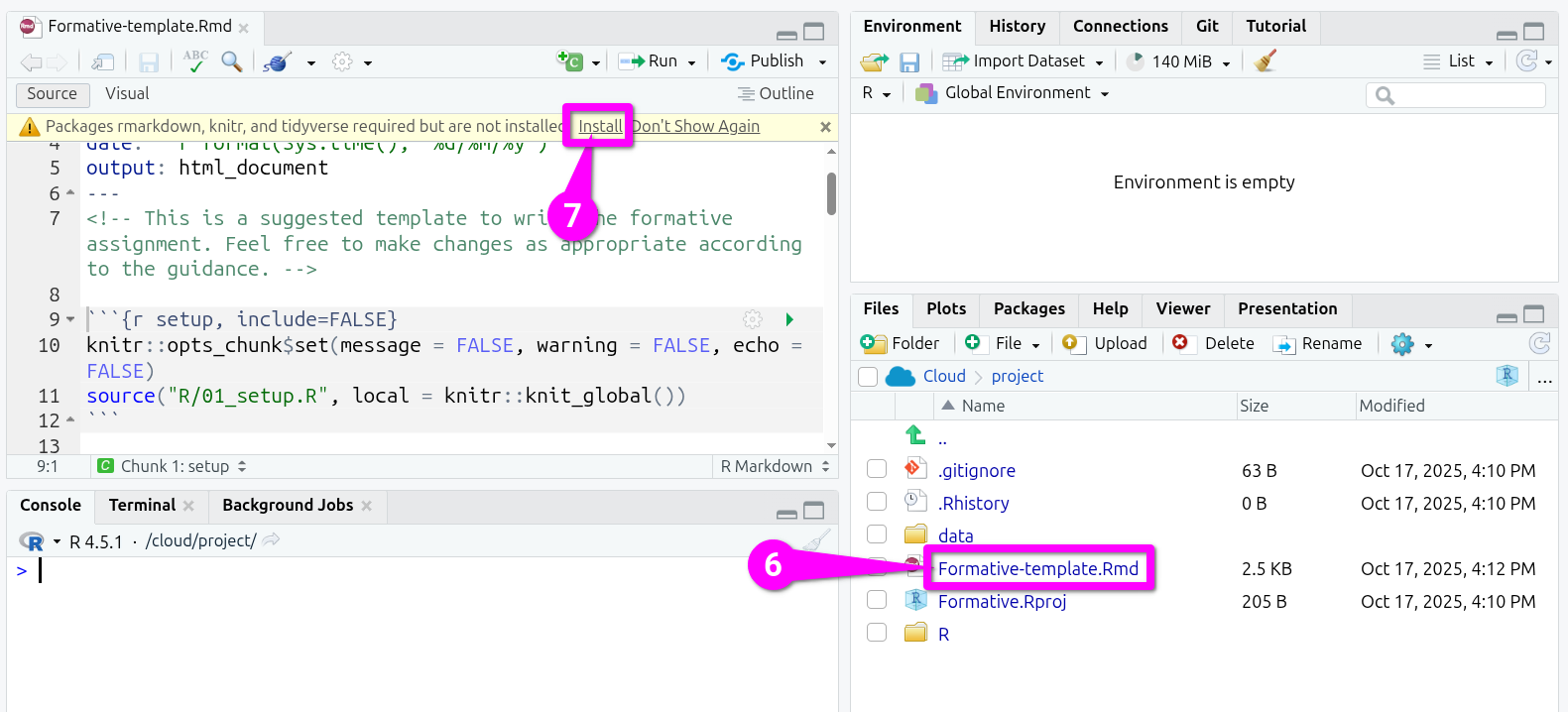
- In the Files tab (bottom-right), click ‘Formative-template.Rmd’ / ‘Summative-template.Rmd’.
- Within the Sources pane (top-left), click ‘Install’ in the yellow banner. (Note - it can take a few seconds to appear after opening your file.)
After the packages are finished installing, within the Sources pane (top-left) -
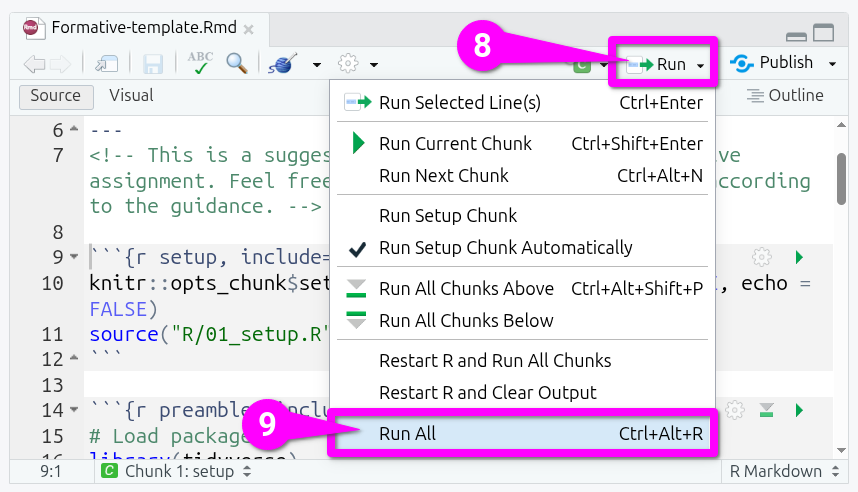
- Click the ‘Run’ button in the toolbar.
- From the options, select ‘Run All’.
This will install additional packages and setup the nilt_subset dataframe. After it finishes your project is all setup for the assessment.